You typed your domain into Google search. Hit enter. Scrolled down. Nothing. Tried again with quotes around the full URL. Still nothing. Checked Incognito mode thinking maybe you’re logged into the wrong account. Nope – Google genuinely has no idea your website exists. Welcome to the most frustrating moment in website ownership: the “Google can’t […]
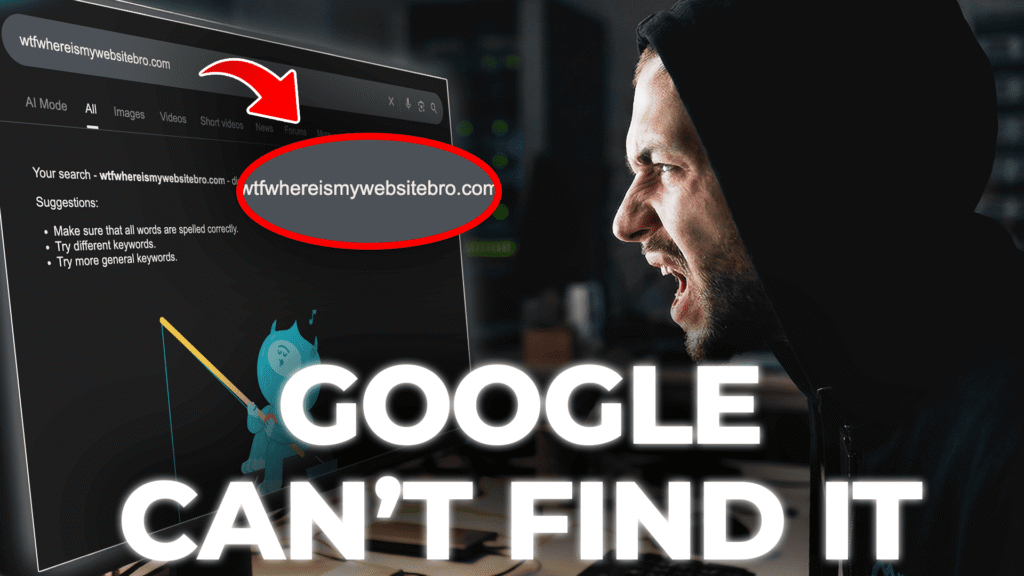
You typed your domain into Google search. Hit enter. Scrolled down. Nothing.
Tried again with quotes around the full URL. Still nothing.
Checked Incognito mode thinking maybe you’re logged into the wrong account. Nope – Google genuinely has no idea your website exists.
Welcome to the most frustrating moment in website ownership: the “Google can’t find website” problem that hits every new site owner. You spent weeks building your site, but search engines act like it doesn’t exist.
Your hosting works fine. Domain resolves correctly. Site loads when you type the URL directly. Pages render perfectly in browsers. No error messages anywhere.
But Google? Acts like your site doesn’t exist.
This isn’t a hosting problem. It’s not broken DNS. Your site isn’t shadow-banned. The reality is simpler and more annoying: search engines don’t automatically know about new websites.
The “Google can’t find website” issue happens because Google needs to discover sites through links from already-indexed sites, sitemaps submitted through webmaster tools, or direct submission via Search Console. Until that happens, you’re invisible regardless of how good your content is.
The hosting industry loves pretending this is mysterious. They sell “SEO boost” packages for $49/month, “guaranteed indexing” services, “priority submission” add-ons, and “search engine optimization” bundles – all solving problems that fix themselves with 30 minutes of proper configuration.
Google Search Console is free. Bing Webmaster Tools are free. Sitemap submission takes three clicks. The information exists but gets buried under SEO agency marketing and outdated forum advice from 2010.
This article explains exactly why the “Google can’t find website” problem happens, how search engine indexing actually works in 2026, step-by-step Google Search Console setup, what “crawled but not indexed” means and how to fix it, realistic timelines for when your site appears in search, and alternative search engines you should submit to beyond just Google.
No SEO agency upsells. No mysterious optimization packages. Just the technical reality of making search engines aware your website exists.
The fundamental misunderstanding is that publishing a website automatically makes it searchable. This assumption makes sense – you registered a domain, configured hosting, uploaded files, and the site loads in browsers. Why wouldn’t search engines find it?
The “Google can’t find website” problem isn’t a technical glitch. It’s how search engine discovery works by design.
Google discovers new websites through three mechanisms. First, Googlebot crawls the web by following links – if an established blog links to your new site, Googlebot discovers you through that connection. Second, XML sitemaps tell Google exactly which pages exist on your site, but sitemaps only work if you submit them through Search Console. Third, Search Console itself lets you explicitly tell Google “this website exists, please crawl it” which is the fastest path to indexing for brand new sites.
New websites with zero inbound links, no submitted sitemap, and no Search Console registration are invisible to Google’s crawlers. The site exists on the internet but has no pathway for discovery.
Google’s web crawler doesn’t monitor domain registrations or hosting provider signups. It doesn’t scan the entire internet continuously checking for new domains. Googlebot follows links from known pages to discover new pages. If no indexed website links to your new site, Googlebot has no reason to visit. You’re not being ignored – you literally don’t exist in the crawl graph yet.
The second common assumption is that buying ads or paid hosting features accelerates indexing. Google explicitly separates advertising and organic search. Spending $10,000 on Google Ads doesn’t trigger Googlebot to index your site one second faster. Premium hosting doesn’t include “priority indexing.” These services might deliver better performance but they don’t bypass the normal discovery process.
Even with proper Search Console setup, indexing takes time. Google needs to allocate crawl budget to visit your site, download and analyze your content, process the information through quality filters, and add pages to the search index. This pipeline typically completes within 3-7 days for new sites. Sites waiting for organic discovery through links might wait weeks or months.
The frustration intensifies because different search engines operate independently with different timelines. Your site might appear in Bing within 24 hours while Google takes a week. Yandex might index immediately while DuckDuckGo (which uses Bing’s index) shows results days later. Each search engine maintains separate crawling infrastructure and schedules.
Domain age creates additional delays. Brand new domains registered days ago face more scrutiny than established domains. Google’s algorithms assume new domains might be spam, affiliate farms, or low-quality content farms. The site needs to prove legitimacy through time, content quality, and user signals before receiving full indexing priority.
Understanding these mechanics eliminates the mystery. Your site isn’t broken. You’re not shadow-banned. The indexing infrastructure simply requires explicit signals that your site exists before crawlers visit.
Google Search Console is the direct communication channel between your website and Google’s search infrastructure. Setting it up properly ensures Google knows your site exists, can crawl it efficiently, and will notify you about any issues preventing indexing.
Step 1: Create Google Search Console Account
Step 2: Add Your Website
example.com (without http:// or www)Step 3: Verify Ownership
Google will show verification options. Choose one:
Option A: DNS Verification (Recommended for Domain Property)
google-site-verification=abc123def456Option B: HTML File Upload (Easier for Beginners)
google123abc.html)yoursite.com/google123abc.html in browserOption C: Meta Tag (Works with WordPress)
Step 4: Submit Your Sitemap
sitemap.xml)
yoursite.com/sitemap.xmlStep 5: Request Indexing for Important Pages
Step 6: Monitor Progress
That’s it. Google now knows your site exists and will start crawling it within 3-7 days.
Creating a Search Console account requires a Google account. Use an email you’ll check regularly because Search Console sends critical notifications about indexing errors, security issues, and manual penalties.
Google offers two property types: Domain Property and URL-prefix Property. Domain Property covers all protocol and subdomain variations (http, https, www, non-www) in a single property while URL-prefix Property only covers the exact URL you specify. For most websites, Domain Property is better because it consolidates data across all variations. However, Domain Property requires DNS verification which needs access to your domain’s DNS settings.
If you’re using WebHostMost or any hosting with DNS management in DirectAdmin or cPanel, Domain Property verification works easily. Search Console provides a TXT record that looks like “google-site-verification=randomcharactershere.” You add this TXT record to your domain’s DNS settings, wait 10-60 minutes for DNS propagation, then click verify in Search Console.
URL-prefix Property offers alternative verification methods including uploading an HTML file to your webserver, adding a meta tag to your homepage header, connecting through Google Analytics, or using Google Tag Manager. HTML file upload works well if you have FTP or file manager access – Search Console provides a file like “googleabcdef123456.html” which you upload to your site’s root directory.
Common verification mistakes cause endless frustration. Adding the TXT record to the wrong domain or subdomain means verification fails. Uploading the HTML verification file to a subdirectory instead of root causes “file not found” errors. Meta tag verification breaks when themes or plugins strip header tags. If verification fails, check the exact error message – Google provides specific debugging information.
Multiple users can access the same Search Console property with different permission levels. Add backup users immediately so account recovery is possible if you lose access to the primary Google account.
The most confusing Search Console status isn’t “Page with errors” or “Blocked by robots.txt” – it’s “Crawled – currently not indexed.” Google visited your page, downloaded the content, analyzed everything, and then chose not to add it to the search index. This rejection is deliberate, not accidental.
In 2026, Google’s indexing selectivity has reached unprecedented levels. With AI-generated content flooding the web, Google’s algorithms reject pages that don’t demonstrate unique value. “Crawled – currently not indexed” appears when pages fail quality thresholds. Google determined the content lacks originality, provides no new information compared to existing indexed pages, targets no clear search intent, shows thin content relative to topic complexity, or replicates information from higher-authority sources. The page isn’t technically broken – it’s rejected for not being useful enough.
Common scenarios include blog posts that regurgitate information already covered thoroughly by authoritative sites, product pages with manufacturer descriptions copied verbatim from other e-commerce sites, category pages with minimal unique content beyond product listings, About Us pages that are single paragraphs, privacy policies generated from templates identical to thousands of other sites, and contact pages with nothing beyond a form.
Fixing “crawled – currently not indexed” requires improving content quality, not technical SEO. Add unique insights, original research, detailed explanations, expert opinions, or comprehensive coverage that makes the page valuable. Google doesn’t want more content – it wants better content. A 500-word blog post that thoroughly explains a specific problem solves indexing issues that 3,000 words of AI-generated filler can’t.
Internal linking strength signals page importance. Pages linked from your homepage and main navigation index more reliably than deep pages with no internal links. If Google doesn’t know whether a page matters to your site structure, default assumption is it doesn’t matter enough to index.
Backlinks still influence indexing likelihood. Pages with external links from authoritative sites index faster and more consistently than orphaned pages with zero backlinks. Google uses link signals to determine whether the broader web considers your content valuable. One quality backlink from a relevant site can trigger indexing when months of waiting failed.
Crawl budget limitations affect large sites. Google allocates finite resources to crawling each site. If your site has 10,000 pages but Google only crawls 1,000 per day, some pages wait weeks between crawl visits. Low-priority pages might stay in “crawled – currently not indexed” indefinitely as Google focuses crawl budget on higher-value content.
The solution often involves deleting content rather than adding more. If 50 product pages are “crawled – currently not indexed” because they’re thin variations of the same product, consolidate into fewer comprehensive pages. Quality over quantity applies brutally in 2026 indexing algorithms. Ten excellent pages index better than 100 mediocre pages.
User engagement metrics indirectly influence indexing through quality signals. Pages that attract clicks from search, generate long dwell times, and spark return visits signal value to Google. Pages that get impressions but zero clicks suggest the content doesn’t match search intent.
Patience has limits. If pages remain “crawled – currently not indexed” for 30+ days after quality improvements, internal linking boosts, and backlink acquisition, the harsh reality is Google doesn’t consider the content worth indexing. Move on to creating different content rather than fighting algorithms indefinitely for marginal pages.
Technical errors prevent indexing far more often than quality issues. These mistakes are usually unintentional – developers implementing features without realizing they block search engines.
1. Robots.txt blocking everything
The file at yoursite.com/robots.txt tells search engines which directories to crawl. A single line “Disallow: /” blocks all crawlers from your entire site. Developers add this during testing, forget to remove it before launch. Check Search Console’s robots.txt tester to see what Googlebot sees.
2. Noindex tags on important pages
The meta tag <meta name="robots" content="noindex"> tells search engines “don’t index this page.” WordPress SEO plugins make this too easy – one accidental checkbox blocks your homepage. View page source and search for “noindex” to find these.
3. Canonical tags pointing to wrong pages
Canonical tags tell Google which version of duplicate content to index. If every page’s canonical points to your homepage, Google thinks everything is a duplicate of the homepage and only indexes that one page. Verify each page’s canonical tag points to itself.
4. Password protection blocking crawlers
Googlebot can’t log in. If your site requires authentication, Google can’t see content to index it. Remove password gates from public pages before requesting indexing.
5. Slow server response times
Sites that take 3-5 seconds to respond get crawled less frequently. Googlebot allocates less budget to slow servers. Fast servers (sub-500ms) get crawled more often, leading to faster indexing.
JavaScript rendering issues affect React, Angular, and Vue.js sites. Google can execute JavaScript but it’s slower and less reliable than static HTML. Heavy JavaScript sites sometimes show content to humans but serve empty pages to Googlebot. Use Search Console’s “View Rendered HTML” feature to see what Googlebot actually sees.
Server error codes prevent indexing entirely. Pages returning 404 (Not Found), 500 (Internal Server Error), or 503 (Service Unavailable) won’t index. Check Search Console’s Coverage report for these errors.
Redirect chains waste crawl budget. If Page A redirects to Page B which redirects to Page C, Googlebot might give up. Keep redirects clean – one hop maximum from source to final destination.
HTTPS mixed content warnings damage trust signals. If your site loads via HTTPS but includes HTTP resources (images, scripts), browsers show security warnings. Make sure all resources load via HTTPS.
Duplicate domains confuse indexing. If both yoursite.com and www.yoursite.com load identical content, Google must choose which to index. Set up redirects so only one version loads.
Google dominates search with 90%+ global market share but ignoring other search engines means abandoning 10% of potential traffic.
Bing Webmaster Tools manages indexing for both Bing and Yahoo search since Yahoo uses Bing’s index. Combined, they represent nearly 10% of searches in English-speaking markets with higher shares in specific demographics. Bing offers faster indexing than Google for new sites – submissions often index within 24 hours versus Google’s 3-7 day timeline.
Bing’s verification process mirrors Google’s with HTML file upload, meta tag, or DNS verification options. The interface feels familiar to Search Console users but with different terminology for the same features. Bing’s “URL Submission API” allows submitting up to 10,000 URLs daily for established sites versus Google’s 10 URL daily limit. For large content sites, Bing’s generous submission quota accelerates indexing dramatically.
Bing values social signals more than Google, meaning active social media presence correlates with better Bing rankings. Connecting Twitter, Facebook, and LinkedIn accounts to Bing Webmaster Tools provides ranking signals Google ignores.
Yandex dominates Russian-language search with 60%+ market share in Russia and significant presence across Eastern Europe and Central Asia. Yandex Webmaster Tools provide exceptionally detailed analytics through their Site Quality Index (SQI) which quantifies site quality on 100-point scale. Even for non-Russian sites, Yandex’s quality metrics offer insights Google doesn’t expose.
Yandex verification uses meta tags or HTML file upload but doesn’t support DNS verification. The interface is available in English with Russian as default. Yandex indexes Russian-language content faster than Google but also crawls international sites seeking quality signals their algorithms can learn from.
DuckDuckGo doesn’t offer traditional webmaster tools because it doesn’t operate independent web crawlers. DuckDuckGo’s results come primarily from Bing’s index combined with specific sources like Wikipedia and StackOverflow. Optimizing for Bing automatically improves DuckDuckGo visibility. Privacy-focused sites perform better on DuckDuckGo as their algorithms favor sites without invasive tracking.
Regional search engines matter for geographic targeting. Naver dominates South Korea. Seznam leads Czech Republic. These engines offer localized webmaster tools valuable for businesses targeting specific countries.
IndexNow protocol enables simultaneous submission to multiple search engines through single API call. Bing, Yandex, and Seznam support IndexNow – submit a URL once and all participating search engines receive notification. This dramatically simplifies multi-engine indexing versus manually submitting to each platform separately.
The practical approach: set up Google Search Console first (largest search volume), add Bing Webmaster Tools second (meaningful traffic with easier indexing), consider Yandex third if analytics show Russian or Eastern European visitors, ignore other engines unless data shows traffic from those sources.
Setting accurate expectations prevents panic when sites don’t appear instantly. The “24 hours” timeline SEO blogs promise is marketing fiction. Real-world indexing spans days to weeks depending on multiple factors.
Brand new websites with fresh domains, no backlinks, and zero authority typically see first indexing within 3-7 days after Search Console submission and sitemap upload. Google needs time to allocate crawl budget, download content, process it through quality filters, and add to the index. This assumes no technical errors blocking crawling.
Established domains adding new pages index faster – sometimes within hours if the site has strong authority and frequent crawl rates. Google trusts sites with publishing history and gives them crawl priority. A major news site publishes an article and it appears in search within minutes. Your new blog publishes the same article and waits days.
Content quality dramatically affects timelines. High-quality unique content on well-structured sites indexes faster than thin content on messy sites. Google’s algorithms prioritize crawling sites that historically publish valuable content while delaying or skipping sites that historically publish spam.
Sitemap submission accelerates discovery but doesn’t guarantee indexing. Google fetches your sitemap quickly (usually within hours) but then queues discovered URLs for future crawling based on site priority. Low-priority sites might see sitemap URLs sit in queue for days before Googlebot visits.
The “Request Indexing” button in URL Inspection provides fastest path to indexing specific pages. Google claims to prioritize these requests but still processes them within their normal crawl scheduling. Expect 24-48 hours for manual indexing requests versus 3-7 days for natural sitemap discovery.
Server response time influences crawl frequency. Fast servers get crawled more often because Googlebot can retrieve more pages per unit time. Slow servers (3+ second response times) get crawled less frequently to avoid overloading them. This creates a feedback loop where slow sites stay invisible longer because they’re crawled rarely.
Backlinks from already-indexed sites trigger discovery faster than any official submission method. If an established blog links to your new site, Googlebot discovers you through that link within hours of the blog post indexing. One quality backlink can beat weeks of waiting for Search Console submission to process.
Panic after 48 hours is premature. This is normal waiting period. Check Search Console for errors and verify sitemap submitted correctly.
Concern after 7 days with zero indexing suggests checking for technical errors. Look for robots.txt blocks, noindex tags, server errors, and use URL Inspection tool to verify Google can access pages.
After 14 days with proper setup and no errors, quality issues likely prevent indexing. Time to audit content quality and consider improvements rather than waiting for technical fixes that aren’t needed.
30+ days with zero indexing indicates critical failure. Complete technical audit needed along with content quality review. May need to rebuild approach entirely.
The realistic expectation for new sites: first pages index within a week of proper Search Console setup, full site indexing completes over 2-4 weeks as Google crawls deeper through sitemaps, ongoing content publishes and indexes within 1-3 days as site establishes crawl patterns, and ranking improvements take months as authority accumulates. Time doesn’t automatically solve quality problems – content improvements do.
Hosting quality directly impacts indexing speed through server response time, uptime reliability, and technical configuration. Bad hosting creates indexing barriers. Good hosting removes them.
WebHostMost’s LiteSpeed Enterprise servers deliver sub-200ms response times for PHP applications and static content. Googlebot allocates more crawl budget to fast servers because it can retrieve more pages per connection. This means your pages get discovered and indexed faster than identical content on slow hosting.
99.9% uptime SLA ensures Googlebot never encounters your site offline during scheduled crawls. When crawlers hit 503 Service Unavailable errors repeatedly, they reduce crawl frequency assuming the site is unreliable. Consistent uptime maintains steady crawl rates.
Built-in Redis object caching dramatically improves WordPress and dynamic PHP performance. Faster page generation means Googlebot can crawl more pages per visit before hitting resource limits. Cache-enabled sites index 2-3x faster than cache-less sites with identical content.
NVMe SSD storage provides instant disk I/O for database queries and file access. Traditional HDD hosting introduces latency that accumulates across hundreds of crawler requests. NVMe eliminates this bottleneck entirely.
Automatic SSL via Let’s Encrypt eliminates mixed content issues and security warnings that damage indexing. Google confirmed HTTPS as a ranking signal – sites without SSL face minor ranking penalties. WebHostMost handles SSL provisioning and renewal automatically so indexing isn’t blocked by certificate errors.
CloudLinux LVE resource allocation prevents “noisy neighbor” problems where other accounts on shared hosting cause your site to slow down or crash. Dedicated CPU and RAM limits mean your indexing speed isn’t impacted by someone else’s traffic spike.
Cloudflare Enterprise CDN integration reduces server load from crawler traffic while maintaining fast response times globally. Googlebot accesses content from CDN edge servers closest to Google’s datacenters rather than crossing oceans to reach origin servers.
HTTP/3 and QUIC protocol support ensures compatibility with Google’s latest crawling infrastructure. As Googlebot adopts new protocols, WebHostMost’s LiteSpeed servers support them immediately rather than lagging years behind like legacy Apache hosting.
The practical impact: sites on WebHostMost infrastructure typically index 30-50% faster than identical sites on budget shared hosting with slow servers, limited resources, and outdated software. Indexing still depends primarily on content quality and Search Console setup, but hosting removes technical barriers that slow the process.
WebHostMost provides infrastructure that removes technical barriers to indexing through fast servers, reliable uptime, and automatic SSL, but we can’t make Google index bad content. The hosting does its job. Content quality is your job.
The “Google can’t find website” problem has a simple solution: you haven’t told Google your site exists. The fix isn’t mysterious or expensive.
Set up Search Console (15 minutes), submit your sitemap (3 minutes), check for blocking issues like robots.txt or noindex tags (10 minutes), and request indexing for your most important pages (2 minutes). Total time: 30 minutes. Cost: Free.
Days 1-2: Google fetches sitemap and queues URLs for crawling. Days 3-7: Googlebot visits site and first pages index. Weeks 2-4: Full site indexed as Google crawls deeper through sitemaps. Ongoing: New content indexes within 1-3 days as site establishes crawl patterns.
This isn’t broken – this is how indexing infrastructure works at scale. Google processes billions of pages. Your site is one of them. Patience through the initial indexing period is mandatory.
“Crawled – currently not indexed” means Google thinks your content isn’t worth showing in search results. Fix the content. Don’t fight the algorithm. Thin, duplicate, or low-value pages won’t index regardless of technical perfection.
Step 1 (Today): Create Search Console account, verify domain ownership, submit sitemap, request indexing for key pages.
Step 2 (This Week): Check Search Console daily for errors, fix any robots.txt or noindex issues, verify pages being discovered.
Step 3 (Days 3-7): Be patient during initial indexing. Don’t spam “Request Indexing” button or submit sitemap 10 times daily.
Step 4 (Ongoing): Improve content quality, build internal link structure, acquire quality backlinks, create more valuable pages.
The mystery disappears once you understand the mechanics. Your site exists in search results because you explicitly submitted it through proper channels and maintained quality standards. Simple as that.
If after following all steps your site isn’t indexing, check these final issues: server actually returns 200 OK (not 404/403/500), no password protection blocking Googlebot, JavaScript renders content properly, no canonical errors pointing everything to homepage, and content actually has unique value.
WebHostMost’s support team can review your Search Console configuration and identify indexing barriers specific to your site. Check our plans with infrastructure optimized for search engine crawling.
Bottom line: Search Console setup takes 30 minutes. The waiting period (3-7 days) feels endless but it’s necessary time for Google’s infrastructure to discover, crawl, analyze, and index your pages. Your site will appear. Stop waiting, start submitting and read our other articles.
